Vistralo/Use cases/Design review
Design reviews people can watch on their own
A review call exists so that one person can point at a screen while the other looks at it. When the call cannot happen, the usual substitute is a recording that scrolls past every decision at the speed of the designer's hand. A walkthrough keeps each screen up while the thinking behind it is said out loud.
The demo runs in your browser on sample projects. It needs no account.
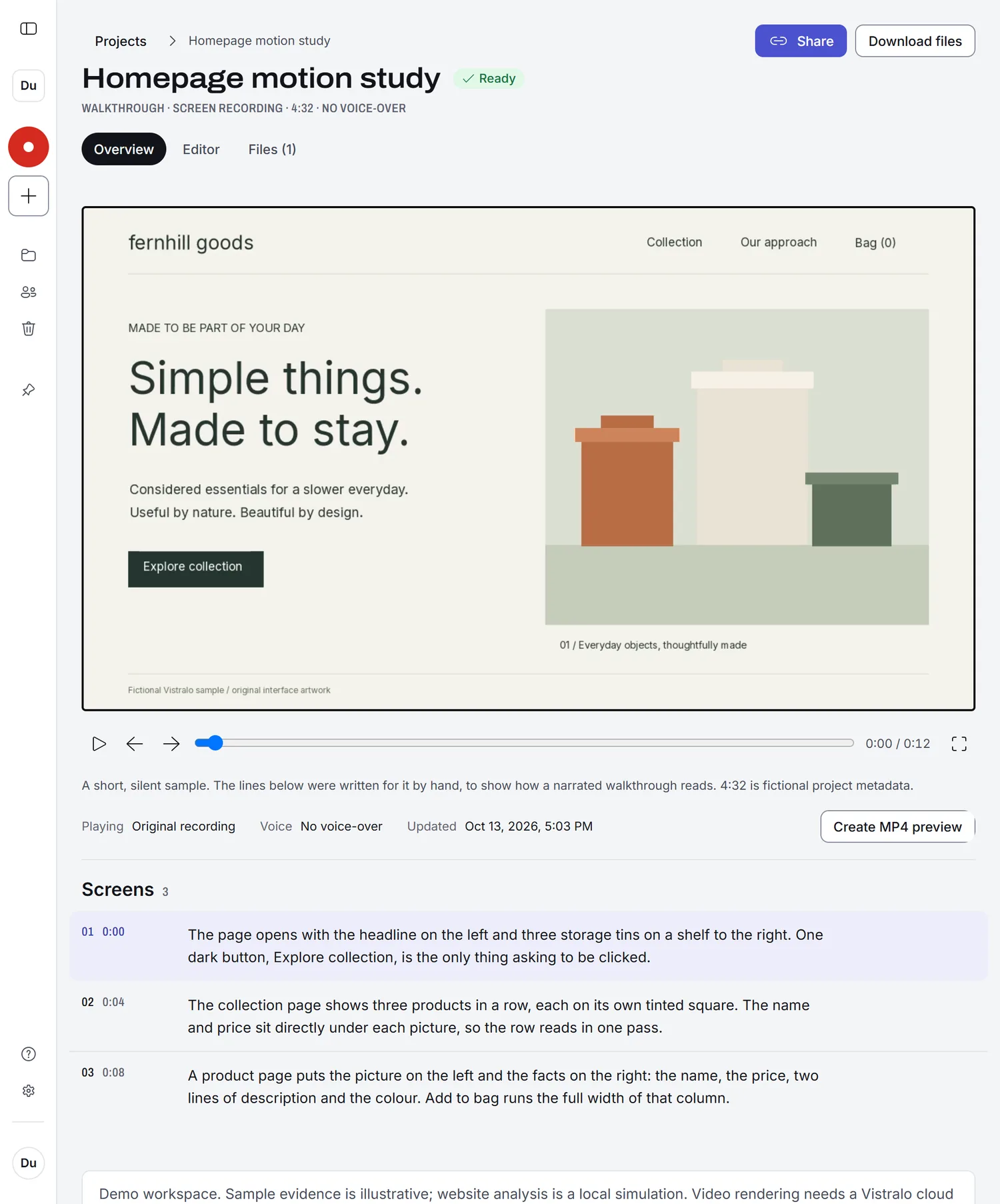
A review, without the meeting
Record the design as it is
Click through the prototype or the live page once, at your own pace. You do not need to speak, and you do not need a second take because you stumbled over a sentence.
Every screen gets its own moment
Vistralo finds each screen and holds the picture on it. The line that plays describes what is there: the layout, the type and the colours.
Send one link
The client or teammate opens it in a browser, with no account, and watches when they have ten minutes. On your side the project lists the screens by number, so a reply that says "the third screen" is easy to find.
Where it fits in a design week
- A client review when the client is eight time zones away.
- A critique round where people comment in writing after watching on their own.
- A record of what was shown, kept beside the file it describes.
- A reference site you want the team to study, written up as a Visual brief first.
The narration describes what is on the screen. It does not know why you chose it. For the reasoning only you can give, record a talk-through with your own voice instead.